SDS software compared: five approaches, seven vendors, twelve criteria
As of · sourced from primary law · not legal advice · Auf Deutsch lesen
This English version was prepared with AI from the German page. No native speaker or lawyer has read it. Found a mistake? Write to office@proofpass.eu.
The short answer
The right tool depends on whether you author safety data sheets, distribute them to customers or buy them in. For suppliers, REACH sets the yardstick: supply no later than the first delivery (Art. 31(8)), every revision to the customers of the past 12 months (Art. 31(9)), and ten years of availability (Art. 36). Compare tools against these three duties, not against the length of a feature list.
Art. 31(8) and (9), Art. 36 REACH
First decide: author, distribute or buy in?
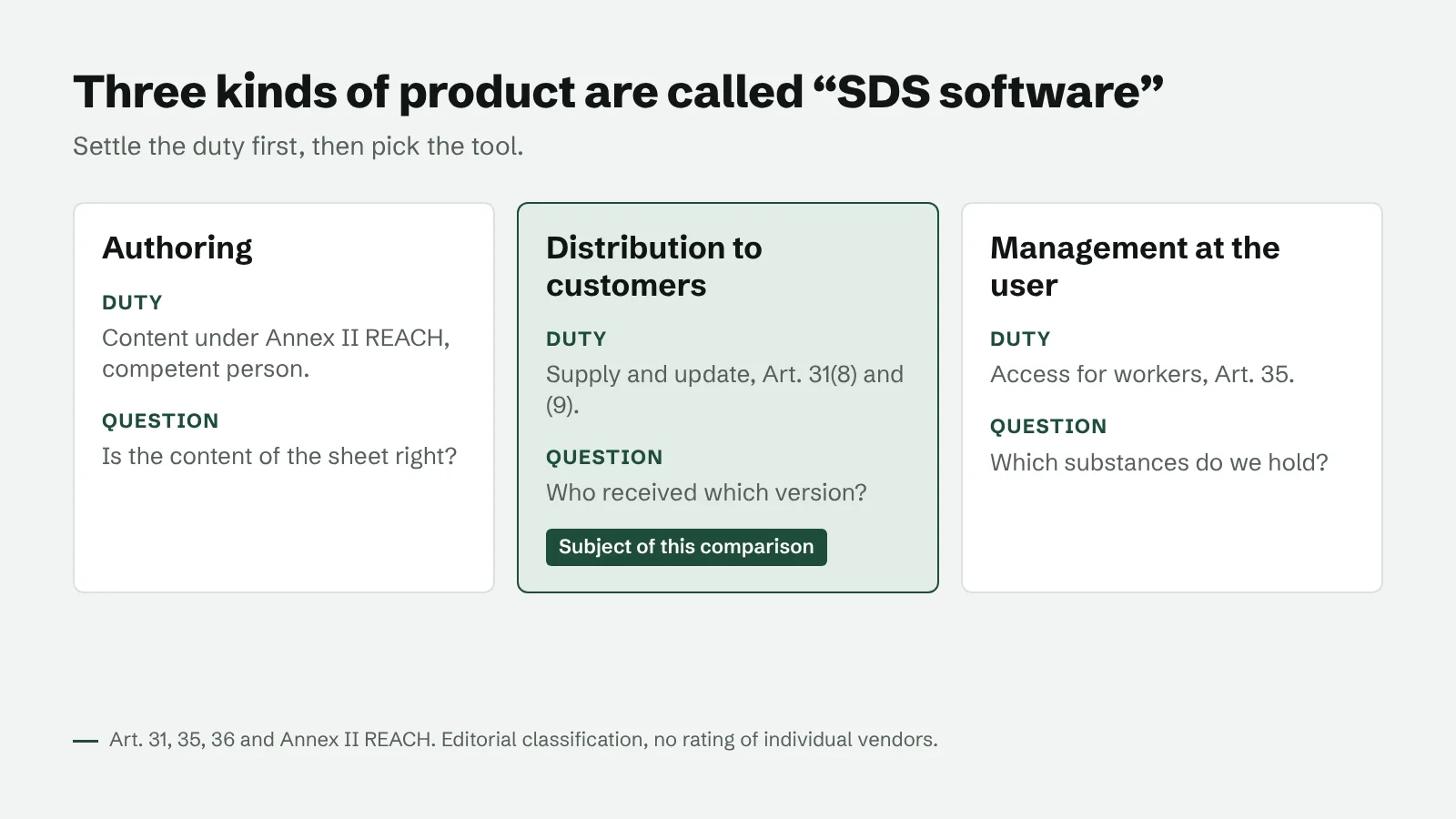
Three kinds of product share the name “SDS software”, and they serve different duties. Authoring tools produce the content under Annex II REACH (vendors such as Lisam ExESS, UL Solutions WERCS, Sphera). Distribution tools get the sheets to customers under Art. 31 (SDS Manager’s distribution module, Sevron, SdsArea, Lisam PubliChem, ProofPass). User-side tools manage sheets you buy in, for worker access under Art. 35 (Quentic, Chemwatch, SDS Manager).
This guide covers distribution: you supply substances or mixtures and must get the sheets to your customers. The free [SDS check](/en/sds-check) tests a sheet’s format in your browser before it goes out.
Five approaches against three duties
A download area on its own is the most common mistake. Under the ECHA guidance (version 4.0, section 2.13), a sheet that only sits on a website is not supplied. A link in an email counts if it leads straight to the sheet and works without a login.
| Approach | Active supply | Proof per customer | Old versions |
|---|---|---|---|
| Spreadsheet and email | yes, by hand | only if you record it | in a folder, if kept |
| Website download area | no, the customer has to fetch it | no | usually only the current one |
| ERP or PIM module | yes, if set up | sending log, downloads rarely | depends on the system |
| Specialised SDS software | yes, often triggered by the ERP | depends on the vendor | yes |
| Supplier portal | yes, email with link | sent, opened, downloaded | yes, with validity period |
What vendors say about their distribution
The table repeats what each vendor writes on its own pages, read on 5 November 2026. We have not tested the products and do not rate them. We give no prices: most are on request, others depend on the number of sheets or documents.
| Vendor | Distribution as described by the vendor | Triggered by |
|---|---|---|
| SDS Manager | Email, download link or QR code; new versions go to recipients automatically; unsubscribe link in every email | Call from the ERP with item number and recipient |
| Sevron | Own portal page without login; every download logged; email on a new version to downloaders who opted in | Customer download |
| SdsArea | Notification with the changed version; record of whether the customer downloaded it | Change of the sheet |
| Lisam ExESS with PubliChem | Web portal for distribution and updates, record of distribution | Authoring in ExESS |
| UL Solutions WERCS | Distribution by customer preference, output as PDF, XML or HTML | ERP sales orders |
| SAP EHS, report shipping | Only released reports; recipient and language determined by the system | Delivery or sales order |
| ProofPass | Email with a personal link to each product’s distribution list; sent, opened, downloaded and confirmed in the log | Upload of a new version |
Twelve criteria to put to every vendor
Ask to see each point on one of your own products. The list applies to us as well.
- Active supply (Art. 31(8)): send a test delivery to your own address.
- Direct link without login (ECHA guidance, section 2.13): open the link in a private browser window.
- Proof per customer and version: export one recipient’s log.
- The 12-month circle (Art. 31(9)): ask where the system gets your deliveries from.
- Archive with validity periods (Art. 36, ten years): open an old version with its period.
- Languages and country versions (Art. 31(5)): set up one product in two languages.
- Unsubscribe and consent: test the unsubscribe link.
- Connection to ERP or shop: ask for the interface and a sample call.
- Permanent address and QR code: check the address after a version change.
- Full data export: request it before you sign.
- Data location and processing agreement: read the contract and the list of subprocessors.
- Price at your product count: get a quote over three years.
What no tool does for you
Content and accuracy stay with the competent person (Annex II REACH). No tool knows by itself when a classification changes, and none takes over the [ten-year retention](/en/knowledge/sds-retention-10-years). Before you switch, export every version and the delivery records and spot-check them. What a portal covers is on the [safety data sheets module](/en/safety-data-sheets) page; plans are on [pricing](/en/pricing).
Frequently asked questions
Which SDS software is the best?
None for everyone. Authoring needs an authoring tool, distribution needs supply, proof and archive, and buying in needs a register for workers. Compare only tools of the same kind.
Is a download area on our website enough?
Not under the ECHA guidance. The sheet has to reach the customer, for example as an email attachment or a direct link without login. A download area adds to supply; it does not replace it.
Is this comparison neutral?
No. ProofPass is a supplier portal and appears in the table. That is why we only repeat what other vendors say about themselves and do not rate them.
With ProofPass
ProofPass is a portal for the supplier side: products, version archive, distribution lists with proof of supply, QR code and manufacturer page, plus declaration of performance and GPSR details on the same product. It does not author safety data sheets and does not trigger sending from your ERP; you maintain who you supplied in the past 12 months. Basis is free for up to 10 products, Start costs €99 and Pro €249 net per month. The read-only API comes with Start, the CSV export of the proof log with Pro.
The dashboard and the sign-up form are in German.
Sources
- Regulation (EC) No 1907/2006 (REACH), consolidated version of 22.06.2026
- ECHA: Guidance on the compilation of safety data sheets, version 4.0 (December 2020), section 2.13
- SDS Manager: SDS distribution, vendor's own statement, read on 5 November 2026
- Sevron: SDS Distribution Software for Chemical Manufacturers, vendor's own statement, read on 5 November 2026
- SIAM: SdsArea, vendor's own statement, read on 5 November 2026
- Lisam: SDS Authoring & Distribution (PubliChem), vendor's own statement, read on 5 November 2026
- UL Solutions WERCS: SDS distribution, vendor's own statement, read on 5 November 2026
- SAP Help: Report Shipping (EHS-SAF-RSH), vendor's own statement, read on 5 November 2026
As of 5 November 2026. The legal text in force prevails. This page is not legal advice; sources are given above.